WordPress 7.0 Admin: DataViews, the Modern Palette, and What Still Needs a Theme
WordPress 7.0 modernised list screens with DataViews and a new default palette. It did not finish the admin. Here is what to test and what still needs a theme.
21st of May, 2026 4 min read uiXpress
WordPress 7.0 shipped on 20 May 2026 as the first major release of the year. The pieces that change daily admin work are easy to overstate in recaps: a “Modern” colour scheme, DataViews on list-style screens, a more present command palette, and an AI Connectors settings screen. None of that is a new WordPress admin theme. It is core catching up in specific places.
If you searched for “WordPress 7 admin ui” in May, or you are still deciding what to keep of 7.0 after 7.1, this is the practical split: what actually changed on the list screens, and what you still have to provide yourself.
What WordPress 7.0 changed in the admin
DataViews on posts, pages, and media
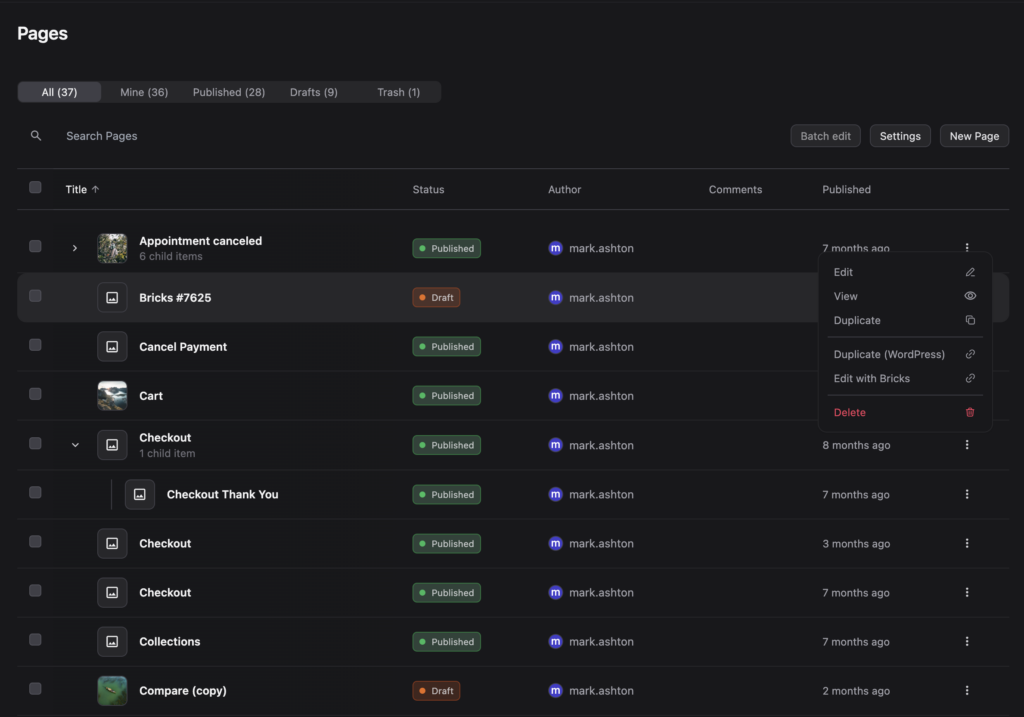
DataViews replace the old list-table pattern with a React interface: filters and sorting without a full reload, and a layout that feels closer to a SaaS app than a 2013 table. For content teams that live on Posts and Pages, that is the 7.0 change they notice first.
It is also the change that breaks plugins. Anything that added custom columns or bulk actions to those screens had to be retested. WooCommerce stores felt it on orders and products when extensions still assumed classic list tables. WooCommerce shipped admin style fixes in the 10.6.2 line for a reason.
A “Modern” default colour scheme
Fresh installs — and users who had never picked a scheme — got a higher-contrast default. Buttons, inputs, and light transitions between screens look newer. Existing schemes are still in Users → Profile. This is a palette, not a dashboard redesign.
Command palette reach
Ctrl/Cmd + K became more useful outside a single editor context. That helps people who already think in commands. It does not replace a global search that covers users, taxonomies, and plugin screens. We wrote about that gap in WordPress global search.
AI Connectors, not a magic editor
Settings → Connectors is infrastructure: API keys for providers, used by features that opt in. It is not a reason to skip staging. It is also not a replacement for an editorial workflow.
What did not ship as a finished admin
Real-time collaboration was pulled from the original 7.0 plan and moved later in the year. Treat vendor posts that list it as a 7.0 headline as outdated.
More important for agencies: 7.0 did not give you
- A role-specific client dashboard
- White-label login and copy
- A dark mode that covers third-party plugin settings
- A plugin manager with recovery and performance context
- Guaranteed compatibility for every custom column on WooCommerce orders
DataViews modernised some lists. The rest of wp-admin is still a collection of plugin screens with their own CSS.
What to test before you call 7.0 “done”
- Posts, pages, and media filters your team actually uses — authors, categories, dates.
- Any plugin that added a column to those lists (SEO scores, page builders, translation).
- WooCommerce orders, products, and coupons if you run a store. Update WooCommerce first.
- Page builder admin UIs. Elementor, Divi, Bricks, and Breakdance have all had admin-chrome fights in this cycle.
- Custom admin CSS. Selectors that targeted
.wp-list-tablemay do nothing useful now.
Do this on staging. 7.0 also raised the PHP conversation for older hosts. Confirm the runtime before you click Update on production.
Where an admin theme still earns its keep
Core list screens can look more modern and still be the wrong home screen for a client. You still need cards, roles, and a menu that does not include Plugins.
uiXpress sits on top of that core work: a custom dashboard, modern posts tables with inline editing and batch actions, a rebuilt media library, and dark mode that does not stop at the new colour scheme. DataViews and a Modern palette do not compete with that. They change the baseline you theme against.
7.0 then 7.1
If you already updated to 7.1, keep the 7.0 list-screen testing on your checklist. The August release added a persistent admin bar and design tokens; it did not undo DataViews. For the later chrome changes, see WordPress 7.1 admin UI.
WordPress 7.0 made parts of the admin feel newer. It did not finish the admin. Treat DataViews as a compatibility project, then decide whether your clients still need a real admin theme around it.