Best WordPress Admin Theme in 2026: What Actually Matters
A WordPress admin theme is more than a colour scheme. Here is how to judge a WP admin theme in 2026 — and what core still does not replace.
4th of February, 2026 4 min read uiXpress
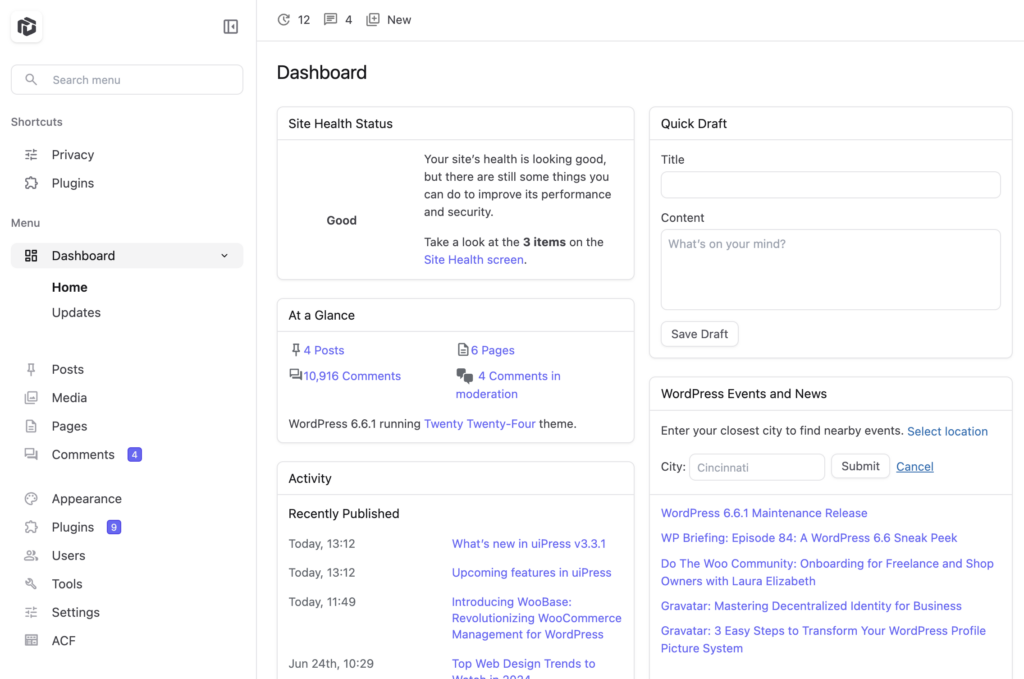
A WordPress admin theme is not a front-end theme. It does not change how visitors see your site. It changes how you, your editors, and your clients spend time in wp-admin — the menu, the dashboard, the list tables, and the screens every plugin dumps into the sidebar.
That distinction matters because “WordPress admin theme” is one of the most-searched phrases around this product, and most results still describe colour schemes or 2018 skins. In 2026 the useful question is narrower: does the admin theme replace the daily workflow, or does it only tint the default UI?
What counts as a WordPress admin theme in 2026
WordPress has always shipped admin colour schemes. Users → Profile still lets each person pick a palette. WordPress 7.0 added a “Modern” default scheme and smoother screen transitions. WordPress 7.1 added design tokens for new React admin panels.
None of that is a full admin theme. A colour scheme changes chrome. An admin theme changes the working surface:
- A dashboard you can actually use as a home screen
- Dark mode that covers Gutenberg and plugin pages, not only the sidebar
- Modern posts, media, and plugin screens
- Search that works from any admin page
- Role-specific menus and white label for clients
If a plugin only injects CSS on admin_enqueue_scripts and leaves every list table alone, it is a skin. Call it that when you compare options.
How to evaluate a WP admin theme
Use the screens you open every day, not the marketing gallery.
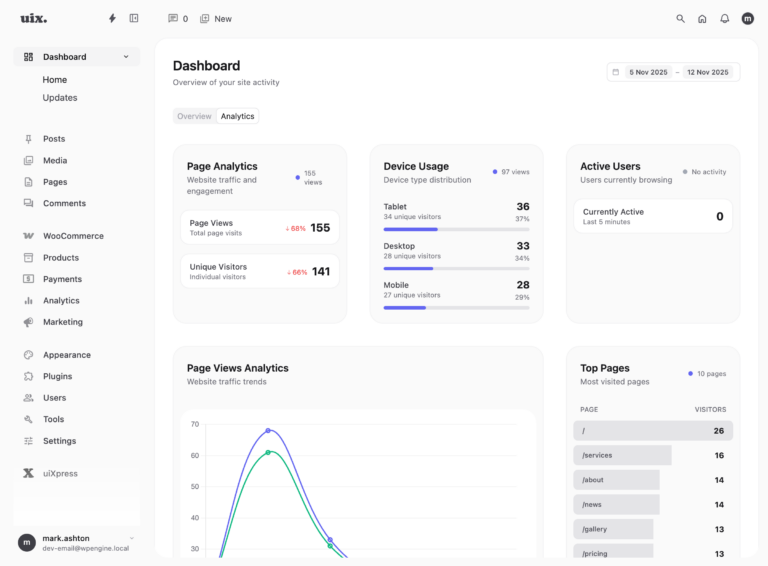
- Dashboard. Can you replace WordPress News with traffic, scheduled posts, or store metrics?
- Content lists. Can you filter, inline-edit, and batch-update posts without a reload dance?
- Media. Can you find unused files and bulk-edit alt text?
- Plugins. Can you inspect and recover, or only activate?
- WooCommerce and page builders. Do orders, products, and builder screens stay readable in light and dark mode?
- Roles. Can a client see five items and a branded login, while you still see the full admin?
Score each item as replace, restyle, or ignore. The best WordPress admin theme is the one that replaces the most of those screens without breaking the rest.
Admin theme vs admin plugin vs colour scheme
Search results mix these together.
- Colour scheme — core or a tiny plugin. Lowest risk, lowest payoff.
- Admin plugin — hide widgets, change the login logo, maybe edit the menu. Useful, still the default WordPress UI underneath.
- Admin theme — a designed workspace that restyles or replaces the main admin surfaces.
You can stack a colour scheme on an admin plugin. You should not stack three admin themes. Conflicts show up as double menus, missing notices, and WooCommerce headers that refuse to line up.
What changed in core this year — and what did not
2026 was a real admin year for WordPress. 7.0 modernised list-style screens with DataViews and a new default palette. 7.1 kept the admin bar in the editors and gave developers tokens. The command palette is better than it was.
Core still does not give you a client dashboard, a white-label handover, a plugin performance inspector, or a dark mode that survives third-party settings pages. That is why “best WordPress admin theme” is still a product category, not a core setting.
uiXpress as a WordPress admin theme
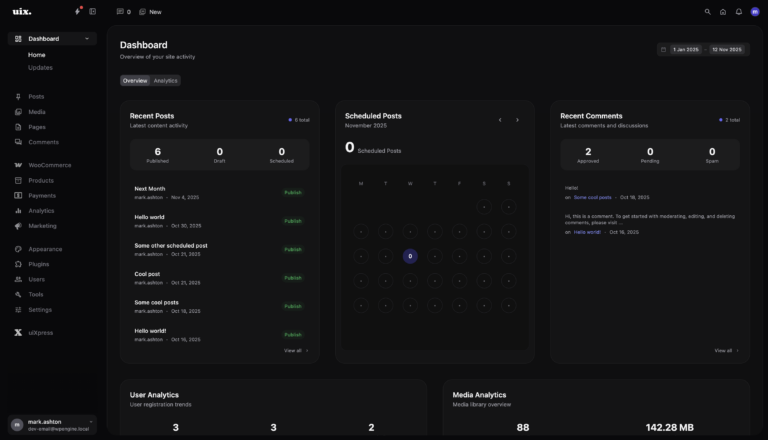
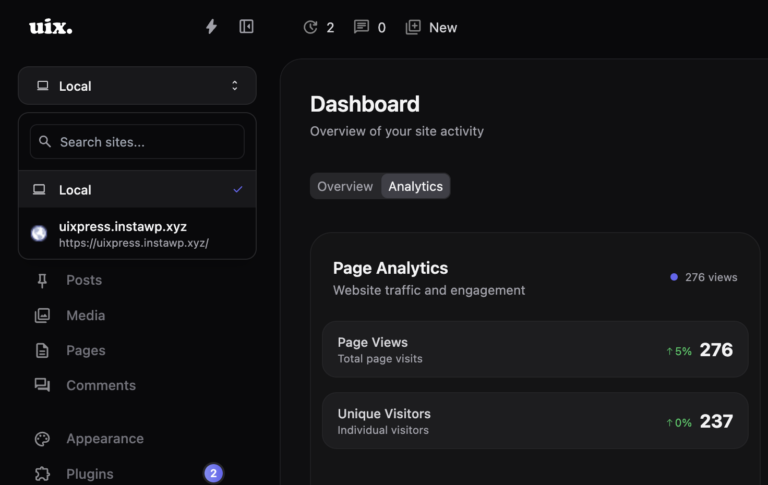
uiXpress is built as a modern WordPress admin theme, not a colour picker. The default dashboard, media library, plugin manager, global search, and role editor are part of the same UI. Dark Engine covers classic admin and Gutenberg without invert filters. Agencies can white-label the login and admin copy for handover.
If you only need a darker sidebar, core’s schemes are enough. If you want the admin to feel like software you can hand to a client, you need the full theme layer.
A short shortlist for 2026
When people compare admin themes they usually land on a small set: a full redesign (uiXpress), a modular admin toolkit (Adminify and similar), or a white-label CMS plugin that hides branding and leaves the default UI in place. Pick based on the job:
- Need the admin itself to feel modern — choose a real admin theme.
- Need login templates and lots of toggles — a modular admin plugin can be enough.
- Need only “remove Howdy and the logo” — a white-label plugin is cheaper and safer.
We have written separately about uiXpress vs Adminify if you are deciding between those two shapes of product.
Install and test without surprising a client
Turn the theme on for one Administrator account first. Walk Posts, Media, Plugins, and your commerce or form plugin. Then enable it for a client role on staging. If a specific plugin screen fights the theme, disable the theme for that role rather than abandoning the whole admin.
The best WordPress admin theme in 2026 is the one your team will leave on after the first week — not the one with the most settings. Start from the screens you already hate, and replace those first.